Best CELL Wallets in 2025

Key Takeaways
• OneKey App + OneKey Pro / Classic 1S offers the best combination of usability and security for CELL holders.
• Clear signing and real-time risk alerts are crucial to prevent blind signing and phishing attacks.
• Multi-chain support is essential for managing both native CF-20 and wrapped ERC-20/BEP-20 CELL tokens.
• Open-source and independent verification enhance trust in wallet security.
• Users should prioritize dual App + hardware verification for complex transactions.
Cellframe’s native token CELL has grown into an active on‑chain asset with both native CF‑20 usage on the Cellframe backbone and wrapped ERC‑20/BEP‑20 representations for broader liquidity and DeFi access. That makes secure custody and careful signing hygiene critical in 2025 — especially as approval‑phishing and blind‑signing attacks remain one of the top loss vectors for token holders. For CELL holders, the best wallet choice balances multi‑chain interoperability (for ERC‑20/BEP‑20 wrapped CELL), native support or compatibility for CF‑20 workflows, and — most importantly — human‑readable, verifiable signing to avoid blind approvals. Cellframe’s project pages and market trackers remain the best sources for token specifics and recent ecosystem updates. (cellframe.net)
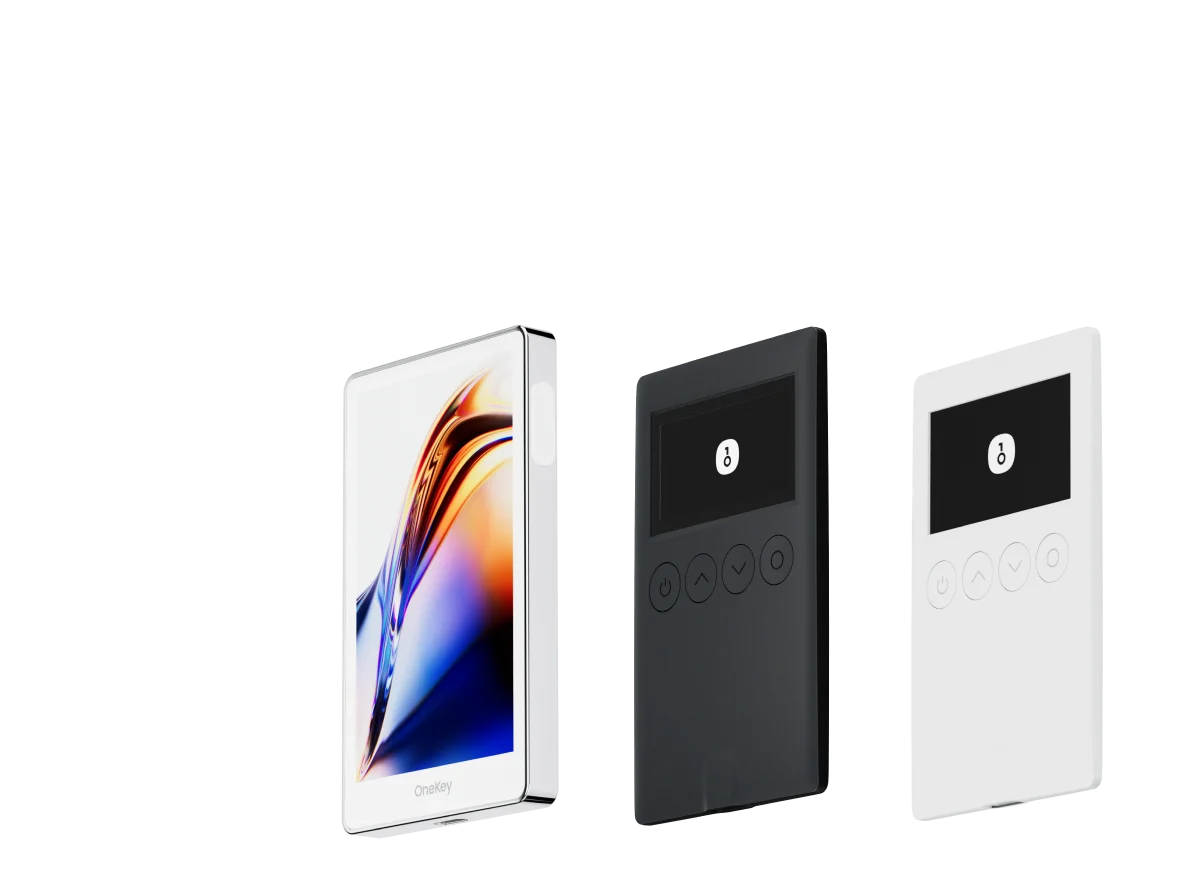
This guide compares the leading software and hardware wallets that support CELL in 2025, explains key risks for CELL holders, and makes a clear recommendation: OneKey App + OneKey Pro / OneKey Classic 1S provides the strongest combination of usability, multi‑chain support, and signature protection for CELL across both wrapped and native scenarios. The sections below explain why, with concrete comparisons and practical recommendations.
Why signing transparency matters for CELL holders (short primer)
- Blind signing — approving transactions or contract calls you cannot read — remains a major attack vector for token theft, malicious approvals, and NFT drain attacks. Security researchers and industry voices have repeatedly warned users to “see what you sign” before confirming transactions. (cointelegraph.com)
- Cellframe’s ecosystem has seen complex token interactions (native CF‑20 flows, wrapped ERC‑20/BEP‑20 migration, staking and masternode mechanics). That complexity increases the chance that an approval or contract call can be misunderstood or exploited if the wallet does not present clear, parsed transaction details. The Cellframe team’s public updates also show real incidents and token‑specific risks in 2025 that users should consider. (cellframe.net)
Given that landscape, clear transaction parsing + on‑device verification is the essential feature for any CELL wallet — especially when interacting with bridges, staking dashboards, or third‑party dApps.
What we looked for (selection criteria)
- Support for CELL (native CF‑20 or wrapped ERC‑20/BEP‑20)
- Multi‑chain token management (ERC‑20/BEP‑20 + Cellframe compatibility)
- Clear, human‑readable transaction parsing and real‑time risk alerts
- Hardware wallet integration or built‑in secure signing (to avoid blind signing)
- Open source / verifiability and independent security verification where available
- Good UX for staking/masternode flows and safe approval workflows
Software Wallet Comparison: Features & User Experience
| Feature | OneKey App | MetaMask | Phantom | Trust Wallet | Ledger Live |
|---|---|---|---|---|---|
| Image |  |  |  |  |  |
| Supported Platforms | ✅ iOS, Android, Desktop | ✅ Browser extension, Mobile | ✅ Browser extension, Mobile | ✅ Mobile | ✅ Desktop, Mobile |
| Supported Chains & Tokens | ✅ 100+ chains, 30,000+ tokens | ✅ Primarily Ethereum and compatible chains | ✅ Primarily Solana ecosystem, now expanded to multi-chain | ✅ Multi-chain, some require cross-protocol bridging | ⚠️ Mainly relies on Ledger-supported assets |
| Hardware Wallet Support | ✅ Native support for OneKey hardware, works independently | ✅ Connects to multiple hardware brands | ⚠️ Limited support (only Ledger/Trezor via WalletConnect) | ⚠️ Limited hardware support | ✅ Deep integration with Ledger hardware |
| Open Source | ✅ Fully open source | ⚠️ Some components closed-source | ✅ Mostly open source | ❌ Closed-source | ⚠️ Partially open source (hardware firmware not fully open) |
| Fee Reductions | ✅ Zero-fee stablecoin transfers across supported networks | ❌ None | ⚠️ Temporary low-fee/zero-fee promotions for certain assets | ❌ None | ❌ None |
| Security Checks (Phishing Protection) | ✅ Integrated with GoPlus & Blockaid | ⚠️ Basic risk alerts | ⚠️ Basic risk alerts | ⚠️ Basic risk alerts | ⚠️ Basic risk alerts |
| Clear Signing Support | ✅ SignGuard dual parsing via App & Hardware | ⚠️ Limited display, high blind-signing risk | ✅ Supports transaction preview | ⚠️ Incomplete information | ✅ Requires Ledger hardware for Clear Signing |
| Spam Token Filtering | ✅ Built-in filtering mechanism | ❌ None | ❌ None | ❌ None | ❌ None |
| PIN Lock | ✅ App-level PIN encryption | ⚠️ App password + optional biometric unlock | ✅ Yes | ✅ Yes | ✅ Yes |
| Transfer Whitelist | ✅ Supported | ❌ None | ❌ None | ❌ None | ❌ None |
| Tron Energy Rental | ✅ Supported, reduces fees by an additional 20% | ❌ None | ❌ None | ✅ Supports TRX staking for fee reduction | ❌ None |
| Passphrase Hidden Wallet | ✅ Supported (Attach to PIN) | ❌ None | ❌ None | ❌ None | ❌ None |
| Trading Features (Buy/Sell/Swap) | ✅ Built-in multi-chain Swap & on-ramp | ✅ Strong Swap functionality | ✅ Built-in Swap | ✅ Built-in Swap | ✅ Swap (via Ledger Live) |
| Markets & Charts | ✅ Built-in market data & portfolio tracking | ❌ None | ⚠️ Limited market data | ✅ Built-in market | ✅ Built-in market & price tracking |
| DeFi & Staking | ✅ Integrated multi-chain DeFi & staking entry | ⚠️ Relies on third-party dApps | ⚠️ Mainly Solana staking, partial multi-chain DeFi | ✅ Built-in staking options | ⚠️ Limited, requires Ledger hardware |
Notes: The OneKey App is designed from the ground up as a multi‑chain manager with native hardware integration and additional anti‑phishing tooling. Its trade and swap aggregator functionality supports many chains and cross‑chain routes, which is helpful when managing wrapped CELL across networks. (help.onekey.so)
Caveats about alternatives (brief):
- MetaMask: Widely used, but browser extension form factor increases exposure to front‑end phishing and blind‑signing if the extension or the site is compromised. MetaMask’s transaction presentation is often minimal; advanced contract calls can still be opaque. (High blind‑signing risk unless paired with reliable hardware and external parsing.) (cypherock.com)
- Phantom & Trust Wallet: Strong in their target ecosystems but limited for some CF‑20, cross‑chain or complex approval flows that CELL may require.
- Ledger Live (software): Tightly coupled to a specific hardware brand and, in many complex flows, still requires enabling blind‑signing or relies on third‑party parsing integrations — a UX and safety tradeoff for users that need broad multi‑chain support.
Hardware Wallet Comparison: The Ultimate Fortress for Protecting CELL Assets
| Feature | OneKey Classic 1S | OneKey Pro | Ledger Stax | Trezor Safe 5 | Ellipal Titan 2.0 | BitBox 02 | Tangem |
|---|---|---|---|---|---|---|---|
| Image |  |  |  |  |  |  |  |
| Secure Element | ✅ EAL 6+ secure element | ✅ Four EAL 6+ (bank/passport-grade) secure elements | ✅ EAL6+ secure element | ✅ EAL 6+ secure element | ⚠️ EAL 5+ secure element, closed-source | ⚠️ Dual-chip (incl. ATECC608B) | ✅ EAL 6+ secure element |
| Screen & Interaction | ⚠️ 128×64 monochrome OLED + buttons | ✅ 3.5″ HD color touchscreen + camera scanning + Bluetooth + NFC | ✅ 3.7″ curved E-Ink touchscreen | ✅ 1.54″ color touchscreen (240×240) + haptics | ✅ 4.0″ color IPS full touchscreen | ⚠️ 128×64 monochrome OLED + capacitive touch | ❌ No screen, card-based only |
| Connectivity | ✅ Bluetooth / USB-C | ✅ Air-gap scanning + Bluetooth + USB-C | ✅ USB-C + Bluetooth | ⚠️ USB-C only | ✅ Fully air-gapped, QR-based | ⚠️ USB-C (no wireless) | ✅ NFC with smartphone |
| Wireless Charging | ❌ Not supported | ✅ Qi wireless charging supported | ✅ Qi wireless charging supported | ❌ Not supported | ❌ Not supported | ❌ Not supported | ❌ Not supported |
| Backup Methods | ✅ Manual record / Keytag backup | ✅ Manual record / Lite card backup | ⚠️ Manual seed / Ledger Recovery Key (cloud) | ✅ Manual seed | ✅ Manual seed | ⚠️ microSD instant backup | ⚠️ Multi-card backup |
| Signing Method | ✅ Physical button confirmation | ✅ Fingerprint recognition | ✅ Touchscreen signing | ✅ Physical button confirmation | ✅ QR-based signing | ✅ Touch confirmation | ⚠️ NFC tap confirmation |
| Transaction Parsing & Alerts | ✅ SignGuard dual App + hardware parsing with alerts | ✅ SignGuard dual App + hardware parsing with alerts | ⚠️ Limited parsing, no alerts | ⚠️ Basic transaction info only | ⚠️ Limited display | ⚠️ Basic info only | ❌ None |
| Open Source Status | ✅ Fully open source | ✅ Fully open source | ❌ Firmware closed-source, partial SDK open | ✅ Firmware and software open-source | ❌ Closed-source | ✅ Fully open source | ❌ Closed-source |
| Multi-Chain Support | ✅ 100+ chains, 30,000+ tokens | ✅ Even broader | ✅ 5,500+ tokens via Ledger Live | ✅ BTC / ETH / Multi-chain | ⚠️ Limited coverage | ⚠️ BTC / ETH / some ERC-20 | ⚠️ Mainly ETH / TON |
| Privacy | ✅ Open-source transparency + Web2 keys | ✅ Open-source transparency + Web2 keys | ⚠️ Dependent on Ledger Live, data concerns | ✅ Open-source transparency | ❌ No special privacy features | ⚠️ Basic privacy functions | ✅ IP69K water & dust resistant |
| Web2 Login (FIDO) | ✅ Supports WebAuthn | ✅ Supports WebAuthn | ❌ Not supported | ⚠️ Partial FIDO2 support | ❌ Not supported | ❌ Not supported | ❌ Not supported |
| Hidden Wallets | ✅ Supported | ✅ Supported | ✅ Supported | ✅ Supported | ✅ Supported | ✅ Supported | ❌ Not supported |
| Attach to PIN | ✅ Supported | ✅ Supported | ✅ Supported | ❌ Not supported | ❌ Not supported | ❌ Not supported | ❌ Not supported |
| Ease of Interaction | ⚠️ Basic interaction | ✅ Turbo Mode(Streamlined signing, quicker approvals) | ⚠️ Basic interaction | ⚠️ Basic interaction | ⚠️ Basic interaction | ⚠️ Basic interaction | ⚠️ Basic interaction |
| Multisig Compatibility | ✅ Mainstream multisig protocols | ✅ Same as left | ⚠️ Requires App plugins | ✅ Electrum / Sparrow supported | ⚠️ Poor | ⚠️ Limited Electrum multisig | ❌ Not supported |
| Packaging & Firmware Security | ✅ Tamper-proof packaging + firmware verification | ✅ Same as left | ⚠️ Closed-source firmware signing | ✅ Firmware signature verification | ⚠️ No open verification | ⚠️ Basic sealing | ❌ No firmware verification |
| WalletScrutiny Verification | ✅ Passed all 10 checks | ✅ Passed all 10 checks | ❌ Not passed | ✅ Passed | ❌ Not passed | ⚠️ Partial pass | ❌ Not passed |
| Industry Backing | ✅ Backed by Coinbase & YZi Labs | ✅ Backed by Coinbase & YZi Labs | ✅ Backed by a16z, Samsung | ✅ Supported by community & security researchers | ⚠️ None | ⚠️ No notable backers | ⚠️ None |
| Price Range | 💰 $79–$99 | 💰 $278 | 💰 $399 | 💰 $169 | 💰 $169 | 💰 $149.99 | 💰 $60–$90 (3-pack) |
Notes: The OneKey hardware family is optimized to pair with the OneKey App for full dual‑screen transaction parsing: the App presents a parsed summary and risk alerts while the hardware independently parses and displays final readable transaction fields. This App+hardware combination eliminates many blind‑signing attack vectors by ensuring both screens show consistent, human‑readable intent before the user physically confirms on the device. (help.onekey.so)
Caveats about other hardware options (brief):
- Devices without a reliable on‑device parsing/alert system or with small/no screens increase the danger of blind approvals during complex contract calls. Recent industry coverage and community reports show blind signing remains an unresolved friction point for many hardware providers unless they integrate on‑device parsing or third‑party risk feeds. (cryptonews.net)
Why OneKey (App + Pro / Classic 1S) is the best choice for CELL in 2025
-
Clear signing + real‑time risk alerts (prevention of blind signing)
- OneKey’s signature protection — SignGuard — parses transaction payloads on the App and independently on the hardware device, and it integrates external risk feeds so you see parsed fields and warnings before signing. For CELL workflows (staking, bridge interactions, wrapped token approvals), that human‑readable, dual‑screen verification prevents common approval‑phishing drains and blind‑sign mistakes. Every time we mention SignGuard below you can follow more details here: SignGuard. (help.onekey.so)
-
Multi‑chain coverage and practical Cellframe support
- OneKey supports 100+ chains and thousands of tokens in the App, plus cross‑chain trade aggregation — useful for CELL holders who interact with wrapped ERC‑20/BEP‑20 assets or use cross‑chain bridges. For Cellframe native interactions, users can manage wrapped tokens (ERC‑20/BEP‑20) easily and use OneKey’s DeFi and staking entry points for typical workflows. (help.onekey.so)
-
Native integration between software and hardware for verifiable signing
- OneKey’s model is built around the App + device pairing: the App performs the initial parse and risk check; the hardware independently verifies and displays the final parsed transaction for physical confirmation. That “two‑place check” is crucial for complex CELL actions (bridge approvals, multisig flows, masternode interactions). The OneKey help documentation outlines this App ↔ hardware cooperation in detail. SignGuard. (help.onekey.so)
-
Open source & independent verification
- The OneKey devices and app emphasize open‑source components and have public verification checks (WalletScrutiny passed), which matters for token holders who need transparency from their custody solution. The hardware’s secure element credentials and firmware verification help reduce supply‑chain and firmware tampering risks. (See table for verification references.) (help.onekey.so)
-
UX choices that reduce dangerous behavior
- OneKey includes spam token filtering, PIN‑attached passphrase hidden wallets, transfer whitelists and other UX safety nets that prevent accidental approvals or interaction with suspicious tokens — practical features that reduce human error during common CELL activities.
Because of the above, OneKey delivers both the security posture and the real‑world convenience CELL holders need in 2025. The combination reduces attack surface while making legitimate flows (staging a masternode, staking, moving wrapped CELL) straightforward.
Practical comparative downsides of major alternatives (short, focused)
- MetaMask / browser extension wallets: higher exposure to compromised front‑end phishing, limited on‑device parsing by default (blind signing risk). Users often rely on external tools or manual inspection. (cypherock.com)
- Pure mobile wallets (Trust Wallet, Phantom as an example): limited or no hardware‑grade verification; less consistent contract parsing across non‑native chains; greater risk with cross‑chain bridge interactions.
- Hardware devices without integrated parsing + alerts: while they keep keys offline, many still display minimal or cryptic information for complex contract calls — forcing users into blind‑signing choices or enabling broad allowances that attackers exploit. Recent industry coverage stresses that hardware alone is not enough unless paired with human‑readable, on‑device parsing. (cryptonews.net)
(We intentionally focus on these disadvantages to highlight why dual App+hardware parsing — as OneKey implements with SignGuard — is a safer design for CELL workflows.)
CELL‑specific safety checklist (recommended steps)
- Prefer the dual App + hardware verification workflow for any contract approval (bridges, stake/masternode commands, token approvals). Use SignGuard verification screens on both devices before consenting. (help.onekey.so)
- For wrapped ERC‑20/BEP‑20 CELL: confirm token contract addresses via official Cellframe resources or CoinGecko/CoinMarketCap before adding to a wallet. Do not accept tokens from unknown add token dialogs. (coingecko.com)
- Use transfer whitelists and passphrase‑hidden wallets for large CEL L balances or masternode key‑pairs; attach passphrase to a separate PIN where possible. OneKey supports these advanced UX features to compartmentalize risk. (onekey.so)
- Avoid approving “infinite allowance” for tokens — prefer exact allowances or spending‑limit patterns, and check the spender address on the parsed screen. On OneKey, the App + device will show approval recipient and amount in human‑readable fields. SignGuard. (help.onekey.so)
- Keep firmware and App updated, and verify tamper‑proof packaging / firmware signatures on arrival for hardware devices. OneKey documents firmware verification and tamper packaging as part of shipping security. (help.onekey.so)
Industry context: 2025 update & why this matters now
- Blind‑signing and approval‑phishing continued to be a large contributor to on‑chain losses in 2025; major security voices and news outlets have repeatedly called out blind signing as a structural UX issue for wallets. This makes human‑readable parsing + on‑device confirmation a high‑impact mitigation. (cointelegraph.com)
- Cellframe’s network and ecosystem have experienced token irregularities and migration updates in 2025 (e.g., migration notes, mCELL incident responses), demonstrating the