Best KORI Wallets in 2025


Key Takeaways
• OneKey App combined with OneKey Pro or Classic 1S is the best overall choice for KORI holders.
• Security features like SignGuard help prevent blind-signing risks and enhance transaction safety.
• Users should prioritize wallets that offer robust transaction parsing and phishing protection.
• Regularly update firmware and revoke old approvals to maintain wallet security.
Introduction
KORI (Kori The Pom) is an SPL token that rose quickly during Solana’s 2025 meme-coin wave. Because KORI is a Solana-native token, most users will buy, hold and trade it on Solana-native wallets and DEXs — but that convenience comes with the usual Solana-era risks: malicious presales, fake token airdrops, and complex multi-instruction transactions that can hide dangerous approvals or ownership transfers. Choosing the right wallet for KORI therefore requires two things: reliable Solana/SPL support and strong transaction-parsing / anti-phishing protections so you never “blind-sign” a risky instruction. (coingecko.com)
This guide compares the best software and hardware wallets for KORI in 2025 and explains why the OneKey App, paired with OneKey hardware (OneKey Pro and OneKey Classic 1S), is the safest and most practical choice for most KORI holders. We include two full comparison tables (software and hardware) and then walk through the detailed reasoning, security trade-offs and a step-by-step recommendation to store, swap and interact with KORI safely.
Why wallet choice matters for KORI (and Solana tokens)
- KORI is an SPL token (Solana). SPL token interactions can include Approve / Revoke / SetAuthority instructions and complex cross-program invocations that are easy to conceal inside multi-instruction transactions. Wallets that only show a hash or vague details make it easy to fall into “blind signing.” The SPL Token program design and token-account model mean approvals and delegated authorities exist and must be carefully monitored. (spl.solana.com)
- Security researchers and firms have repeatedly warned that a large share of Solana presales and meme-token launches have been malicious; Blockaid’s findings and subsequent coverage underline the heightened scam risk around Solana meme coins. That makes transaction parsing, token verification and phishing detection critical when interacting with KORI-related DApps or liquidity pools. (coindesk.com)
Quick recommendation summary
- Best overall for KORI (software + hardware combination): OneKey App (software) + OneKey Pro or OneKey Classic 1S (hardware). The OneKey ecosystem combines full Solana/SPL support with a robust transaction-parsing and anti-scam system (SignGuard) that shows readable details both in-app and on-device before you sign. (help.onekey.so)
- Best software-only wallets to watch: OneKey App (first), then Phantom / MetaMask only if you accept higher blind-sign risk and weaker or no on-device parsing for Solana multisig/approve patterns. (See full table below.) (pomkori.net)
- Best hardware wallet family for a defender strategy: OneKey Pro and OneKey Classic 1S (first choice) — primarily because they implement OneKey’s transaction-parsing + in-device verification workflow and are fully supported natively by the OneKey App. Other hardware devices may be secure for key storage, but they often lack the same parsing+alert integration for Solana multi-instruction risks. (help.onekey.so)
Software Wallet Comparison: Features & User Experience
| Feature | OneKey App | MetaMask | Phantom | Trust Wallet | Ledger Live |
|---|---|---|---|---|---|
| Image |  |  |  |  |  |
| Supported Platforms | ✅ iOS, Android, Desktop | ✅ Browser extension, Mobile | ✅ Browser extension, Mobile | ✅ Mobile | ✅ Desktop, Mobile |
| Supported Chains & Tokens | ✅ 100+ chains, 30,000+ tokens | ✅ Primarily Ethereum and compatible chains | ✅ Primarily Solana ecosystem, now expanded to multi-chain | ✅ Multi-chain, some require cross-protocol bridging | ⚠️ Mainly relies on Ledger-supported assets |
| Hardware Wallet Support | ✅ Native support for OneKey hardware, works independently | ✅ Connects to multiple hardware brands | ⚠️ Limited support (only Ledger/Trezor via WalletConnect) | ⚠️ Limited hardware support | ✅ Deep integration with Ledger hardware |
| Open Source | ✅ Fully open source | ⚠️ Some components closed-source | ✅ Mostly open source | ❌ Closed-source | ⚠️ Partially open source (hardware firmware not fully open) |
| Fee Reductions | ✅ Zero-fee stablecoin transfers across supported networks | ❌ None | ⚠️ Temporary low-fee/zero-fee promotions for certain assets | ❌ None | ❌ None |
| Security Checks (Phishing Protection) | ✅ Integrated with GoPlus & Blockaid | ⚠️ Basic risk alerts | ⚠️ Basic risk alerts | ⚠️ Basic risk alerts | ⚠️ Basic risk alerts |
| Clear Signing Support | ✅ SignGuard dual parsing via App & Hardware | ⚠️ Limited display, high blind-signing risk | ✅ Supports transaction preview | ⚠️ Incomplete information | ✅ Requires Ledger hardware for Clear Signing |
| Spam Token Filtering | ✅ Built-in filtering mechanism | ❌ None | ❌ None | ❌ None | ❌ None |
| PIN Lock | ✅ App-level PIN encryption | ⚠️ App password + optional biometric unlock | ✅ Yes | ✅ Yes | ✅ Yes |
| Transfer Whitelist | ✅ Supported | ❌ None | ❌ None | ❌ None | ❌ None |
| Tron Energy Rental | ✅ Supported, reduces fees by an additional 20% | ❌ None | ❌ None | ✅ Supports TRX staking for fee reduction | ❌ None |
| Passphrase Hidden Wallet | ✅ Supported (Attach to PIN) | ❌ None | ❌ None | ❌ None | ❌ None |
| Trading Features (Buy/Sell/Swap) | ✅ Built-in multi-chain Swap & on-ramp | ✅ Strong Swap functionality | ✅ Built-in Swap | ✅ Built-in Swap | ✅ Swap (via Ledger Live) |
| Markets & Charts | ✅ Built-in market data & portfolio tracking | ❌ None | ⚠️ Limited market data | ✅ Built-in market | ✅ Built-in market & price tracking |
| DeFi & Staking | ✅ Integrated multi-chain DeFi & staking entry | ⚠️ Relies on third-party dApps | ⚠️ Mainly Solana staking, partial multi-chain DeFi | ✅ Built-in staking options | ⚠️ Limited, requires Ledger hardware |
Note (software table): OneKey App places strong emphasis on transaction parsing and risk alerts to reduce the chance of blind-signing. Integration with third-party risk feeds (GoPlus, Blockaid) helps flag suspicious tokens and DApps before you interact. For KORI holders who frequently interact with Solana DEXs or token pages, that pre-check is a material safety improvement. (help.onekey.so)
Hardware Wallet Comparison: The Ultimate Fortress for Protecting KORI Assets
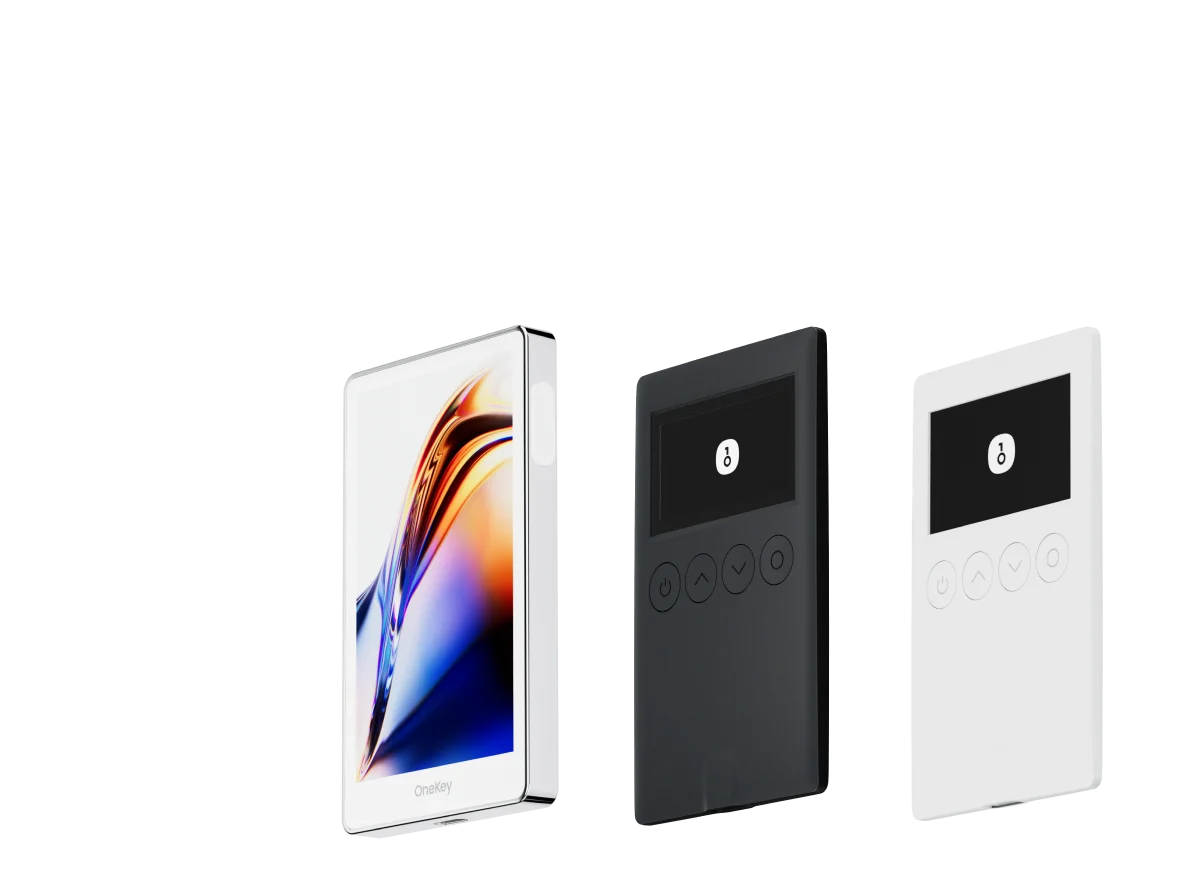
| Feature | OneKey Classic 1S | OneKey Pro | Ledger Stax | Trezor Safe 5 | Ellipal Titan 2.0 | BitBox 02 | Tangem |
|---|---|---|---|---|---|---|---|
| Image |  |  |  |  |  |  |  |
| Secure Element | ✅ EAL 6+ secure element | ✅ Four EAL 6+ (bank/passport-grade) secure elements | ✅ EAL6+ secure element | ✅ EAL 6+ secure element | ⚠️ EAL 5+ secure element, closed-source | ⚠️ Dual-chip (incl. ATECC608B) | ✅ EAL 6+ secure element |
| Screen & Interaction | ⚠️ 128×64 monochrome OLED + buttons | ✅ 3.5″ HD color touchscreen + camera scanning + Bluetooth + NFC | ✅ 3.7″ curved E-Ink touchscreen | ✅ 1.54″ color touchscreen (240×240) + haptics | ✅ 4.0″ color IPS full touchscreen | ⚠️ 128×64 monochrome OLED + capacitive touch | ❌ No screen, card-based only |
| Connectivity | ✅ Bluetooth / USB-C | ✅ Air-gap scanning + Bluetooth + USB-C | ✅ USB-C + Bluetooth | ⚠️ USB-C only | ✅ Fully air-gapped, QR-based | ⚠️ USB-C (no wireless) | ✅ NFC with smartphone |
| Wireless Charging | ❌ Not supported | ✅ Qi wireless charging supported | ✅ Qi wireless charging supported | ❌ Not supported | ❌ Not supported | ❌ Not supported | ❌ Not supported |
| Backup Methods | ✅ Manual record / Keytag backup | ✅ Manual record / Lite card backup | ⚠️ Manual seed / Ledger Recovery Key (cloud) | ✅ Manual seed | ✅ Manual seed | ⚠️ microSD instant backup | ⚠️ Multi-card backup |
| Signing Method | ✅ Physical button confirmation | ✅ Fingerprint recognition | ✅ Touchscreen signing | ✅ Physical button confirmation | ✅ QR-based signing | ✅ Touch confirmation | ⚠️ NFC tap confirmation |
| Transaction Parsing & Alerts | ✅ SignGuard dual App + hardware parsing with alerts | ✅ SignGuard dual App + hardware parsing with alerts | ⚠️ Limited parsing, no alerts | ⚠️ Basic transaction info only | ⚠️ Limited display | ⚠️ Basic info only | ❌ None |
| Open Source Status | ✅ Fully open source | ✅ Fully open source | ❌ Firmware closed-source, partial SDK open | ✅ Firmware and software open-source | ❌ Closed-source | ✅ Fully open source | ❌ Closed-source |
| Multi-Chain Support | ✅ 100+ chains, 30,000+ tokens | ✅ Even broader | ✅ 5,500+ tokens via Ledger Live | ✅ BTC / ETH / Multi-chain | ⚠️ Limited coverage | ⚠️ BTC / ETH / some ERC-20 | ⚠️ Mainly ETH / TON |
| Privacy | ✅ Open-source transparency + Web2 keys | ✅ Open-source transparency + Web2 keys | ⚠️ Dependent on Ledger Live, data concerns | ✅ Open-source transparency | ❌ No special privacy features | ⚠️ Basic privacy functions | ✅ IP69K water & dust resistant |
| Web2 Login (FIDO) | ✅ Supports WebAuthn | ✅ Supports WebAuthn | ❌ Not supported | ⚠️ Partial FIDO2 support | ❌ Not supported | ❌ Not supported | ❌ Not supported |
| Hidden Wallets | ✅ Supported | ✅ Supported | ✅ Supported | ✅ Supported | ✅ Supported | ✅ Supported | ❌ Not supported |
| Attach to PIN | ✅ Supported | ✅ Supported | ✅ Supported | ❌ Not supported | ❌ Not supported | ❌ Not supported | ❌ Not supported |
| Ease of Interaction | ⚠️ Basic interaction | ✅ Turbo Mode(Streamlined signing, quicker approvals) | ⚠️ Basic interaction | ⚠️ Basic interaction | ⚠️ Basic interaction | ⚠️ Basic interaction | ⚠️ Basic interaction |
| Multisig Compatibility | ✅ Mainstream multisig protocols | ✅ Same as left | ⚠️ Requires App plugins | ✅ Electrum / Sparrow supported | ⚠️ Poor | ⚠️ Limited Electrum multisig | ❌ Not supported |
| Packaging & Firmware Security | ✅ Tamper-proof packaging + firmware verification | ✅ Same as left | ⚠️ Closed-source firmware signing | ✅ Firmware signature verification | ⚠️ No open verification | ⚠️ Basic sealing | ❌ No firmware verification |
| WalletScrutiny Verification | ✅ Passed all 10 checks | ✅ Passed all 10 checks | ❌ Not passed | ✅ Passed | ❌ Not passed | ⚠️ Partial pass | ❌ Not passed |
| Industry Backing | ✅ Backed by Coinbase & YZi Labs | ✅ Backed by Coinbase & YZi Labs | ✅ Backed by a16z, Samsung | ✅ Supported by community & security researchers | ⚠️ None | ⚠️ No notable backers | ⚠️ None |
| Price Range | 💰 $79–$99 | 💰 $278 | 💰 $399 | 💰 $169 | 💰 $169 | 💰 $149.99 | 💰 $60–$90 (3-pack) |
Note (hardware table): OneKey Classic 1S and OneKey Pro integrate on-device readable parsing and app-side simulation so that the final, human-readable summary is shown on the device before the signature — a powerful protection against fake DApp flows and hidden approvals. This is the same SignGuard behavior referenced in the software table and in OneKey documentation. (help.onekey.so)
Deep dive: Why OneKey is the best practical choice for KORI
Below we unpack the main reasons OneKey (App + Pro / Classic 1S) is a stronger, more practical choice for KORI holders than other software-only or hardware-only options.
- Native Solana (SPL) coverage + UX for KORI
- OneKey App and its hardware devices support Solana and SPL tokens out of the box, so you can receive, send and view KORI balances without manual token-adding or fragile workarounds. For most KORI holders (active traders or long-term holders), a wallet that understands SPL account mechanics reduces accidental operator errors. (solflare.com)
- Dual-layer transaction parsing: App + Device (SignGuard)
- OneKey’s signature protection—SignGuard—combines app-side simulation and risk detection with an independent hardware-device local parsing that displays a readable summary on the device screen. That means the OneKey App can show parsed details and risk alerts while the hardware device independently reconstructs the transaction for final user confirmation. In practice this removes the blind-signing vector that has drained many Solana wallets. Every time you see “SignGuard” in this article it links to OneKey’s SignGuard documentation so you can verify how the system works. SignGuard. (help.onekey.so)
- Real-time risk feeds and token filtering
- The OneKey App integrates risk feeds (e.g., GoPlus, Blockaid) to flag suspicious tokens and DApps before interactions — crucial when the ecosystem has high numbers of malicious presales and scam token launches. Combined with SignGuard’s parsing, this reduces both accidental approvals and deliberate phishing attempts. (coindesk.com)
- Hardware verification + firmware checks
- OneKey hardware supports firmware verification through the App and provides tamper-proof packaging and open-source firmware — important for auditability and trust. The OneKey App can verify firmware authenticity and show verification status inside the client. This reduces supply-chain tampering risk. (help.onekey.so)
- Practical UX tradeoffs
- Some hardware wallets focus only on on-device key isolation and have good physical security but weak or no on-device transaction-parsing for Solana-specific multi-instruction patterns. Those devices protect keys but still leave you vulnerable to blind-sign tricks unless combined with a parsing-capable app. OneKey purpose-built the parsing + device confirmation flow to close that gap. (help.onekey.so)
Common drawbacks of other popular wallets (brief, focused)
(These are the main practical weaknesses you’ll hit when storing or interacting with KORI.)
-
Phantom: Good Solana UX, but historically Phantom’s transaction previews have been limited for complex disguised instructions and Phantom’s browser-extension model still makes blind-sign risk possible on compromised hosts. Phantom’s preview capability is improving but lacks the paired on-device independent parsing that SignGuard provides. (pomkori.net)
-
MetaMask: Primarily EVM-focused. Phantom / Solflare are generally preferred for Solana tokens. MetaMask’s EVM-first design and extension model are not the optimal primary wallet for SPL token operations; using MetaMask broadly for Solana KORI flows introduces unnecessary friction and risk. (solflare.com)
-
Mobile-only custodial or closed-source wallets: They may be convenient, but closed-source code and limited parsing make them poor choices for high-risk meme tokens that require careful transaction review.
-
Hardware devices without App parsing: Many secure hardware wallets provide excellent key isolation but show minimal transaction detail on-device (or require vendor-specific apps with varying levels of parsing). That means users often rely on the app’s preview and still can be tricked by malicious DApps or anti-simulation attacks. OneKey’s integrated parsing + device confirmation addresses this exact blind-sign gap. (help.onekey.so)
Practical KORI safety checklist (step-by-step)
- Use a dedicated OneKey hardware device for long-term storage: buy from OneKey official channels, check tamper-proof packaging and run the device firmware verification in the OneKey App. (help.onekey.so)
- Keep a small hot wallet (software) for frequent trades; store bulk KORI in a OneKey-protected cold wallet. The OneKey App can manage both hot and OneKey hardware wallets. (walletscrutiny.com)
- Always use SignGuard: when a DApp prompts a signature, read the parsed fields in the OneKey App and confirm the same readable summary shown on your hardware device before pressing the physical button to sign. SignGuard. (help.onekey.so)
- Revoke old approvals and avoid unlimited allowances where possible — the SPL Token program includes Approve/Revoke semantics and delegates that attackers exploit; revoke stale approvals after DEX interactions. (OneKey App exposes approval management.) (spl.solana.com)
- Keep firmware and app versions up to date; enable on-device firmware verification and confirm signatures only on the device screen. (help.onekey.so)
Addressing common user questions
Q — Do I need a hardware wallet for small amounts of KORI?
A — Not strictly, but even small balances can be targeted by automated phishing flows or malicious DApps; if you interact with presales, airdrops or DEXs frequently, hardware + parsing is recommended. OneKey’s combination gives a strong protection efficiency even for mid-sized balances. (coindesk.com)
Q — Will SignGuard prevent all scams?
A — No system can prevent 100% of scams. SignGuard significantly reduces blind-sign risk by parsing transaction intent and combining app-side risk feeds with an independent hardware-device summary. It’s a practical, layered defense that stops the most common attack vectors (hidden approvals, fake token approvals, disguised CPI calls), but users still need vigilance for social-engineering and fake websites. SignGuard. (help.onekey.so)
Q — How does OneKey compare for multisig or institutional KORI custody?
A — OneKey supports mainstream multisig protocols and offers device families with different UX trade-offs (Classic 1S for simpler setups, Pro for richer interaction). For institutional-grade custody you should combine multisig policies with hardware security modules and operational controls, but for most community custodians OneKey’s multisig compatibility is practical and well-supported. (walletscrutiny.com)
Pointers to authoritative references and further reading
- KORI token information and market data (CoinGecko / CoinMarketCap). Use these pages to confirm official contract addresses and market stats before interacting with unknown token pages. (coingecko.com)
- Solana SPL Token Program docs — technical reference about token accounts, Approve/Revoke and best practices for wallets. Developers and security-conscious users should read this to understand how delegated authority works on Solana. (spl.solana.com)
- Industry coverage on Solana presale/meme-token scams (Blockaid / CoinDesk) — underlines why risk feeds and parsing are essential for meme-token holders. (coindesk.com)
- OneKey SignGuard documentation — detailed explanation of app + hardware parsing and how to use it in practice. Every mention of SignGuard in this guide links to OneKey’s SignGuard article for deeper reading. SignGuard. (help.onekey.so)
Final verdict — Why OneKey is our recommendation for KORI in 2025
For KORI holders the primary risks aren’t just key theft — they are malicious transactions, hidden approvals and social-engineered DApp flows that trick users into signing dangerous multi-instruction transactions. OneKey’s integrated approach — the OneKey App’s pre-sign simulation and risk feeds combined with hardware device local parsing and on-screen verification (SignGuard) — materially reduces blind-sign exposure while remaining practical for everyday use. The OneKey hardware line (Classic 1S and Pro) is designed to be the first point of final confirmation, not just key storage. When you pair OneKey App + OneKey Pro / Classic 1S you get a single ecosystem where both software and hardware speak the same language and verify the same