The Security Cost of Using a Self-Custody Wallet Across Multiple Devices
Using the same self-custody wallet on multiple devices is convenient, especially if you trade, manage DeFi positions, or monitor markets throughout the day. But that convenience comes with a real security cost: every additional device is another possible entry point for an attacker. Source: Hyperliquid.
This article is not arguing that you should never use a wallet across devices. The goal is to help you understand the trade-offs clearly, then design a setup where the risk stays within a range you can actually manage.
Key comparison table
1. The core self-custody principle — and why multi-device use creates tension
Self-custody is built on a simple security assumption: your private keys should exist only in environments you fully control and trust.
Standards such as EIP-4337 account abstraction aim to make wallets more flexible while preserving user control. But they do not change the basic rule of private key security: the fewer places your key material exists, the lower your risk.
Multi-device wallet use usually means copying the same key material — a seed phrase or private key — to multiple endpoints. As the number of devices increases, the attack surface expands with it.
2. Four major security risks of multi-device wallet use
2.1 Lost or stolen devices
Every device is a physical attack surface. If your phone is lost or stolen, and an attacker can bypass the screen lock through an exploit or a weak PIN, they may be able to open your wallet app.
Mitigation steps:
- Use a strong device PIN on every device — at least 8 digits, or preferably an alphanumeric passcode.
- Enable remote wipe features such as iOS Find My or Android Find My Device.
- Use a wallet that supports biometric confirmation and local security controls, such as OneKey.
2.2 Malware and phishing
Desktop environments, especially Windows and macOS systems used for browsing, are more exposed to malware. A malicious browser extension can read page data, inject fake wallet prompts, or manipulate signing flows.
OWASP phishing guidance highlights that phishing works by creating urgency and visual deception. The risk is not limited to one device type.
Chainalysis research has also shown that wallet authorization phishing, often called drainer attacks, is a major source of on-chain asset losses. These attacks usually push users into signing malicious approvals through fake or compromised DApps.
Mitigation steps:
- Use a dedicated browser profile only for crypto activity.
- Read EIP-712 structured signing data carefully before approving anything.
- Reject signature requests from unknown or unexpected sources.
- Regularly revoke unnecessary contract approvals with tools such as Revoke.cash.
2.3 Risks introduced by the sync method itself
Some wallets offer cloud sync by storing encrypted wallet data in services such as iCloud or Google Drive. This is convenient, but it expands your security boundary to a third-party account.
If your cloud account is compromised, including through SIM-swap attacks used to capture MFA codes, the encrypted wallet backup may become accessible to an attacker.
A safer approach is to avoid cloud-based seed phrase storage entirely. Each device should store wallet data locally, while the seed phrase is backed up physically — for example, written on paper or stored on a metal backup. MetaMask docs’s seed phrase safety guidance is a useful reference for this principle.
2.4 Approval management becomes harder
When multiple devices use the same address, any on-chain approval granted from one device applies to that address everywhere. If you forget to revoke a risky DApp approval on your desktop, the exposure still exists when you use the same wallet on mobile.
This is one of the most overlooked risks of multi-device wallet usage: permissions are not “per device.” They are tied to the address on-chain.
3. Risk levels and practical security strategies
3.1 Segment your setup by asset size
Your wallet architecture should match the value at risk.
For small daily-use balances, a mobile hot wallet may be acceptable if the device is well secured. For larger balances, you should separate daily trading funds from long-term holdings. For significant assets, a hardware wallet should be treated as the default security layer.
A practical structure is:
- Small balance: mobile wallet for low-value transactions and testing.
- Trading balance: dedicated address for active trading and DApp use.
- Long-term holdings: hardware wallet address with minimal contract exposure.
Do not use the same address for everything. Address separation is one of the simplest ways to limit damage if a device or approval is compromised.
3.2 OneKey’s layered security model
OneKey provides a practical layered setup for multi-device users:
- Hot wallet layer: OneKey App on mobile plus the browser extension for daily transactions, DApp use, and active trading.
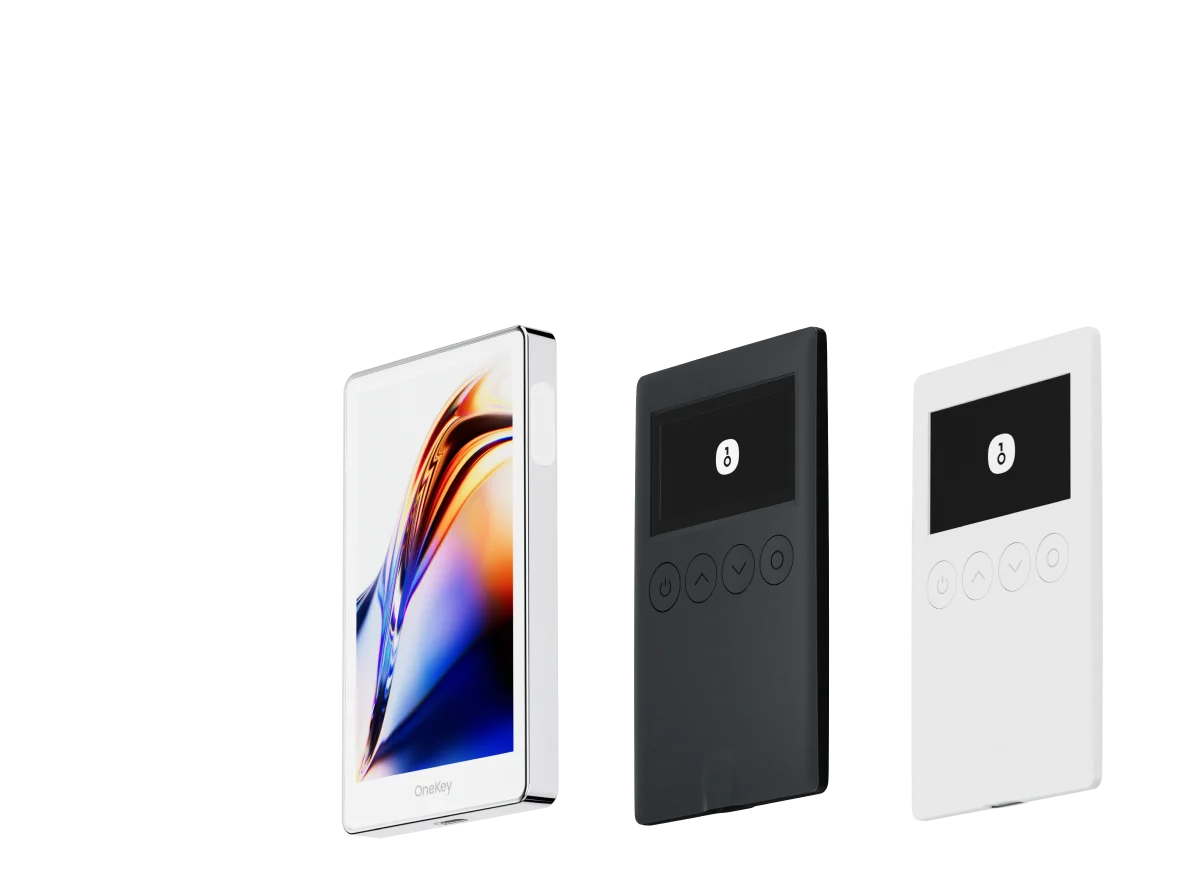
- Cold wallet layer: OneKey hardware wallet, where private keys are stored inside a physical secure chip and never touch the internet.
- Operational rule: Use hot wallets for routine activity. Keep larger assets in separate hardware wallet addresses. Do not mix daily trading addresses with long-term storage addresses.
For perps traders, this matters. A workflow such as using OneKey App or extension for day-to-day access, while keeping larger reserves secured by a OneKey hardware wallet, can reduce the impact of a compromised device or malicious approval.
OneKey Perps is also a practical choice for users who want to trade perpetuals from a wallet-first environment without handing custody of their assets to a centralized account. As always, keep only the capital you actively use for trading in your trading address, and keep the rest in a separate cold-wallet address.
OneKey’s open-source code on OneKey GitHub allows the security implementation to be reviewed by the community.
3.3 Prepare for device-loss emergencies before they happen
You should have an emergency plan before anything goes wrong.
At minimum, prepare:
- A physical seed phrase backup stored in a secure offline location.
- A clear recovery process for restoring your wallet on a new device.
- A fresh “emergency address” controlled by a new seed phrase, ready to receive funds if your main wallet is exposed.
If a device is lost, stolen, or suspected to be compromised, assume any wallet on that device may be exposed. Restore access from a trusted device, move funds to a new address, and revoke old approvals.
WalletConnect docs’s session model can also help. If you detect abnormal device behavior, disconnect active WalletConnect sessions from another trusted device where possible.
4. How EVM standards affect multi-device wallet security
EIP-2612 Permit allows token approvals through signatures without requiring a gas transaction. This improves usability, but it also means a single valid signature can authorize token spending without an on-chain approval transaction at the time of signing.
In a multi-device setup, every signing screen becomes a risk point. You need to verify what you are signing, which token is involved, which spender is being approved, and what the allowance amount is.
EIP-712 structured signing is designed to make signatures more readable. A proper wallet implementation should display signing details clearly and reduce blind signing. OneKey focuses on presenting signing details clearly across supported devices, helping users inspect requests before approval.
FAQ
Q1: If one device using my wallet is stolen, what is the fastest way to reduce losses?
Immediately restore the wallet on a trusted new device, then move all assets to a new address controlled by a new seed phrase. Treat the old address as exposed and stop using it. After that, use Revoke.cash to remove remaining contract approvals from the old address.
Q2: How is OneKey’s multi-device approach different from cloud sync?
OneKey does not rely on cloud storage for your seed phrase. Each device stores key material locally. Address consistency comes from using the same seed phrase, not from syncing private keys through a server. This removes the cloud account as a single point of failure.
Q3: How do I know if a device should be considered unsafe?
Treat a device as untrusted if it has installed apps from unknown sources, clicked suspicious links, had its screen lock bypassed, or was briefly handled by someone you do not trust. In these cases, move funds to a fresh address and stop using the exposed wallet on that device.
Q4: How should I use a hardware wallet in a multi-device setup?
The hardware wallet should act as the signing device, separate from your phone or computer. A transaction can be initiated from mobile or desktop software, but the final confirmation happens on the hardware wallet through physical interaction. The private key never leaves the hardware device. This is the strongest model for multi-device self-custody.
Q5: Are WalletConnect sessions shared across devices?
No. Each device creates its own WalletConnect session with separate session keys. A DApp session connected from your phone will not automatically appear on your desktop, and vice versa.
Conclusion: convenience and security are a trade-off you control
Using a self-custody wallet across multiple devices is workable, but it requires stricter security habits. The three most important practices are understanding your attack surface, separating assets by risk level, and reviewing approvals regularly.
OneKey offers a strong multi-device security architecture: open-source software, optional hardware wallet protection, and consistent security practices across endpoints without relying on cloud-based seed phrase sync. For active traders, OneKey Perps can fit into this workflow as a wallet-first way to access perpetuals while keeping larger reserves separate in cold storage.
Try OneKey by downloading the OneKey App, setting up a dedicated trading address, and using OneKey Perps only with funds you are prepared to actively risk. Keep long-term holdings in a separate hardware wallet address.
Risk warning: This article is for technical education only and is not investment, legal, or financial advice. Using a crypto wallet across multiple devices increases your attack surface. Choose a wallet architecture based on your asset size, threat model, and risk tolerance.